
Dispatch
Meesho seller order process: accept, pack, label and ship, step by step
How an order moves from Pending to Shipped on Meesho, the 11 AM label rule of Meesho's 2022 videos, why the manifest matters, what each Orders tab means and a daily routine you can copy.
By Rocket Listing TeamPublished Updated 10 min read

Key takeaways
- Seven steps: find the order under Pending, accept it, pack it, download the label (and manifest), paste the label and hand over, wait for pickup to move it to Shipped, then delivery and payment. Meesho's own video of 23 April 2022 shows each step.
- In Meesho's 2022 videos, labels downloaded before 11 AM are scheduled for pickup the same day, and later ones the next day. Check the time in your panel. Download a label only for a parcel that is really packed.
- The order manifest is your proof of hand-over. Write the pickup person's name, the date, the item count and get the signature every time.
- Every order has an Expected Dispatch Date. Use the Breaching Soon filter, and keep stock accurate so you do not accept an order you cannot fill.
The Meesho seller order process has seven steps. A new order shows under Pending. You accept it, pack it, download the shipping label and paste the label. Then you hand the parcel to the delivery partner by the Expected Dispatch Date, and wait for delivery and payment. In Meesho's 2022 videos, labels downloaded before 11 AM get same-day pickup.
These steps come from Meesho's own videos (read on 21 October 2026), mostly from 2022. Meesho changes screens and rules, so each fact below has its date, and your panel is the final word. Rocket Listing for Meesho is independent and does not process orders for you.
Meesho seller order process: the 7 steps
- Find the order. New orders appear in the Orders section, under the Pending tab. Meesho's order video of 23 April 2022 starts here.
- Accept it. Click Accept Order (or Accept Item) for an order you can fill. It moves to the Ready to ship tab. Accept only orders you can fill. For one you cannot fill, Meesho's Masterclass of 9 November 2022 says to cancel it, or to raise the out-of-stock ticket if you accepted it by mistake. Cancelling an order, or leaving it to auto-cancel, can bring a penalty (see our penalty guide), so keep stock accurate.
- Pack it. Pack the right product, size and colour for the right order. Check the packaging note below.
- Download the shipping label. In Ready to ship, download the label. Download the manifest too, before the pickup agent arrives.
- Paste the label and hand over. Stick the label on the parcel. Meesho's video encourages printing two copies, so the delivery partner signs one and you keep one.
- Pickup. The delivery partner collects within about a day, as the video says. When the parcel is picked up, the order moves to Shipped on its own.
- Delivery and payment. After delivery, your payment follows on Meesho's cycle. Check the Payments tab. See Meesho payment cycle.
What does each Orders tab mean?
| Tab | What is in it | What you do |
|---|---|---|
| Pending | New orders waiting for you | Accept the ones you can fill, and check the dispatch date |
| Ready to ship | Orders you accepted | Pack, download the label and manifest, hand over |
| Shipped | Orders the delivery partner has picked up | Nothing yet. Wait for delivery |
| Cancelled | Orders cancelled by you or by the customer | Check why, and fix stock if it was your mistake |
| Return/RTO | Parcels that came back: the customer was not there three times (RTO), or the customer returned the order | Open the parcel carefully and read Meesho return claim |
| Hold | Orders where the customer's address is not serviceable. Meesho's video says no late dispatch charges apply to orders under Hold | Wait. Meesho's video of 8 November 2021 says they return to Pending when they become active |
The Expected Dispatch Date and the Breaching Soon filter
Every order has an Expected Dispatch Date. Meesho's Masterclass of 9 November 2022 says all your operations should be planned around it. The Orders section has a filter called Breaching Soon, which lists the orders that must ship soon. Open it every morning.
If you leave an order untouched, Meesho cancels it automatically after its date. Meesho's own pages give different numbers of days for this. The Masterclass of 9 November 2022 said two days after the date. Its penalties lesson (saved copies of 6 August 2024 and 14 May 2025) said one day after. We do not give a number. Use the date and the notices in your own panel, and read Meesho penalty charges.
The 11 AM label rule
Meesho's videos of 2022 say that downloading the label tells Meesho the parcel is ready. If you download it before 11 AM, pickup is scheduled for the same day. If you download it after 11 AM, pickup is for the next day. The same video says that downloading labels for parcels that are not ready can put your account on hold. So download labels only for parcels that are packed and sealed.
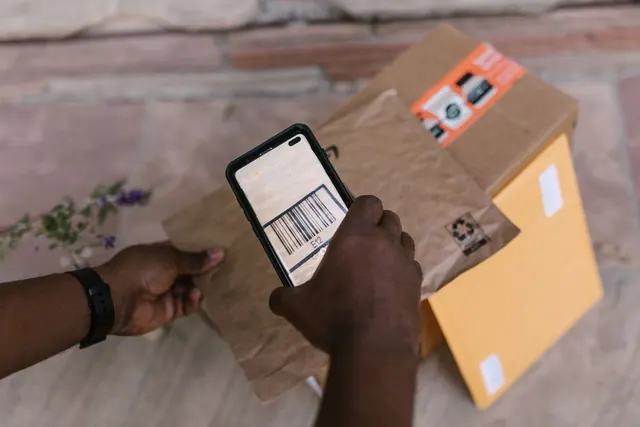
The label also shows a tracking ID above the barcode. Meesho's Masterclass of 14 November 2022 says you can use it for live tracking on the courier partner's website.
The order manifest: why it matters
The manifest is the document that says you handed the parcels to the delivery partner. Meesho's video of 23 April 2022 calls it the only proof of hand-over. It says to print the manifests for the orders in Ready to ship before the pickup agent arrives. At pickup, write these four things on it:
- The pickup person's name
- The date of pickup
- The number of items shipped
- The delivery partner's signature
Meesho's Masterclass of 9 November 2022 adds that if there is a delivery problem and you upload the manifest as proof in your ticket, the ticket is easier to solve. Keep a photo of every signed manifest.

Packaging: what Meesho's pages say
Meesho's order video of 23 April 2022 says to use no branding on the packaging or tape, and to use material that is durable and not transparent. Meesho's video of 20 April 2023 promotes Meesho's own barcoded packets. It says that from 1 January 2023 only RTO claims for orders sent in barcoded packets would be investigated, and to check the notice board in your panel for the policy. These advice sets differ. Follow the packaging guidance shown in your own panel today, and read Meesho return claim before you decide.
When something goes wrong
Meesho's videos name a ticket option for each of these problems. The wording is from 2022, so look for the closest match. Our Meesho seller support guide lists them all with their dates.
| Problem | What to try | Ticket option (Support, Orders & Delivery) |
|---|---|---|
| You accepted an order but have no stock | Do not hide it. Raise a ticket, then fix your stock numbers | 'I have received an order for out of stock catalog/product' |
| The order looks unusual or fake | Check the order details, then raise a ticket | 'I have received an unusual order' |
| The label will not download | Try again, then raise a ticket. An order left too long can be cancelled | 'Label is not getting generated for my order' |
| The delivery partner did not come | Check you downloaded the label before 11 AM | 'My orders are not picked up yet' |
| Picked up, but still in Ready to ship | Meesho's video says to wait 24 hours first | 'My order is picked up but still in the ready to ship tab'. Give the AWB and sub order number in the right format |
| You want another courier | Use this for a complaint or problem with the logistics partner | 'I want to change my courier partner' |
| You do not know where the parcel is | Use the tracking ID above the barcode first | 'I want to know the delivery status of my order' |
Customer returns and RTO in one minute
Meesho's order video says a customer can start a return in the first 7 days. You are charged a return shipping fee for it, which you can see per product in your product details. If the customer is not there to collect an order three times, the parcel comes back as RTO. The video says you are not charged for that. These are 2022 statements, so check your panel. The full story is in Meesho seller fees.
A daily routine you can copy
This routine is our suggestion, not a Meesho rule. Only the 11 AM label rule comes from Meesho.
| When | What | Why |
|---|---|---|
| Morning, when you start | Open Pending. Use Breaching Soon. Accept the orders you can fill | You see problems early |
| Next | Pack the accepted orders and seal them | A label should only be downloaded for a packed parcel |
| Before 11 AM | Download labels and manifests for the packed parcels | Meesho's 2022 rule for same-day pickup |
| At pickup | Fill the manifest: name, date, item count, signature. Take a photo | Proof if there is a dispute |
| Evening | Update stock. Set sold-out items to 0. Look at Cancelled and Return/RTO | Wrong stock becomes cancelled orders |
| Once a week | Check returns and ratings, and your profit | See Meesho quality score |
Meesho order kaise process kare: short Hinglish recap
- Order Orders section ke Pending tab me aata hai. Accept Order dabayein, order Ready to ship me chala jaata hai. Pack karein, phir shipping label download karein.
- 11 baje se pehle label download karenge to pickup usi din hoga, uske baad karenge to agle din (Meesho ke 2022 ke video ke hisaab se; apne panel me check karein). Label sirf pack kiye hue parcel ka download karein.
- Manifest par pickup wale ka naam, date, items ki ginti aur signature zaroor likhwayein. Ye aapka proof hai.
- Har order par Expected Dispatch Date hoti hai. Roz subah Breaching Soon filter dekhein aur stock sahi rakhein.
For how to pack the parcel, see Meesho seller packaging guidelines. For words such as AWB, EDD and manifest, see the Meesho seller glossary.
Sources and further reading
- Meesho video: Process orders using Meesho supplier panel (23 April 2022)
- Meesho video: Order process using Meesho supplier app (6 September 2022)
- Meesho Masterclass: A-Z of Order Processing, Part A (9 November 2022)
- Meesho Masterclass: A-Z of Order Processing, Part B (14 November 2022)
- Meesho video: Avoid Common Seller Mistakes (23 April 2022)
- Meesho video in Hinglish: Meesho Seller Panel Kaise Use Kare (8 November 2021)
- Meesho video: How to purchase and scan branded packets (20 April 2023)
- Meesho Masterclass: Level 1, Episode 1, How to start selling on Meesho (22 May 2022)
- Meesho Learning Hub: How to package and process orders (saved copy of 6 August 2024)
- Sell on Meesho, Meesho's official YouTube channel (read 21 October 2026)
Rocket Listing is an independent tool. Meesho, Flipkart and Amazon are trademarks of their respective owners, and Rocket Listing is not affiliated with, endorsed by or sponsored by them. Marketplace rules, fees and panel layouts change, so confirm current details in your official seller panel.
Found an error or an out-of-date figure? Tell us. How we research, date and correct these guides: editorial policy.
Quick answers
Frequently asked questions
01How do I accept an order on Meesho as a seller?
Open Orders in the Supplier Panel and go to the Pending tab. Click Accept Order or Accept Item for each order you can fill. It moves to the Ready to ship tab, where you pack it and download the label. Accept only orders you can fill. If you cannot fill one, Meesho's Masterclass of 9 November 2022 says to cancel it, and a penalty may apply (see our penalty guide).
02How do I download the Meesho shipping label and manifest?
Go to the Ready to ship tab in Orders. Download the shipping label for each packed order, and download the manifest before the pickup agent arrives. Paste the label on the parcel. If the label will not generate, raise a ticket under Orders & Delivery with the option about labels.
03What is the 11 AM rule on Meesho?
Meesho's order videos of 2022 say that a label downloaded before 11 AM gets a same-day pickup, and one downloaded after 11 AM gets a pickup the next day. Download labels only for parcels that are packed, because labels for unready parcels can put an account on hold.
04What is the manifest on Meesho?
The manifest is the document that proves you handed the parcels to the delivery partner. Meesho's video says to write the pickup person's name, the date, the number of items and get the partner's signature. Keep a photo of it, because it helps if there is a dispute.
05What should I do if the delivery partner does not pick up my Meesho order?
First check that you downloaded the label before 11 AM and that the parcel was ready. Then raise a ticket under Support, Orders & Delivery, with the option 'My orders are not picked up yet'. If a picked up order still sits in Ready to ship, Meesho's video says to wait 24 hours first.
06Can I cancel a Meesho order if I cannot ship it?
Meesho's Masterclass of 22 May 2022 said you could cancel an order before the dispatch date at no cost, but its penalties lesson lists a supplier cancellation penalty. These differ. Check the rule in your panel, read our penalty guide, and keep your stock accurate so you do not need to cancel.
More seller guides
Dispatch
Meesho Next Day Dispatch (NDD): what it is, how to join and how to leave
What NDD is, what Meesho says you get, the exact ticket options to join or leave, and a made-up day to test whether you can really ship in one day.
Inventory
Meesho stock update: how to update inventory, mark out of stock and pause
How to update stock in the Meesho Supplier Panel, one product or many, how to pause a product, what the Inventory tabs mean and a weekly routine that prevents cancellations.
Penalties
Meesho penalty charges for sellers: late dispatch, breached orders and disputes
A dated map of what Meesho's own videos and Learning Hub lesson say about penalties, what Breaching Soon means, why we found no definition of Breached, and how to dispute a wrong charge.