
Flipkart sales
How to increase sales on Flipkart: find the leak, then use Flipkart's own tools
Find where Flipkart orders are lost, then fix that stage with listing quality, price after fees, ratings, returns and Flipkart's own tools. No promises.
By Rocket Listing TeamUpdated 11 min read

Key takeaways
- Flipkart orders are lost at one of four stages: shoppers do not see your listing, do not open it, do not buy, or buy and send it back. Find your stage before you change anything.
- Zero commission is not zero fees. Check profit per order after the fixed fee, shipping, collection, returns and ads before any price cut: in our illustrative example a ₹50 cut needs about a third more orders for the same total profit.
- Flipkart gives you tools for each stage, including Price Recommendations, Selection Insights, Inventory Health and the Seller Lens extension. Use them before you pay for anything else.
- No one can promise sales. We left out Flipkart's own growth percentages, press-reported penalties and vendor statistics, because none comes with a method.
How to increase sales on Flipkart: find where orders are lost first, whether at impressions, clicks, conversion or returns. Then fix that stage: listing quality, price after fees, ratings, stock and ads, using Flipkart's own tools such as Price Recommendations and Selection Insights. Check profit per order before you push volume. No method can promise sales.
How to increase sales on Flipkart: find the stage first
Start with one basic check: is the listing live and in stock? If it is blocked or inactive, nothing else matters yet. If it is live, match what you see to a row in this table and fix only that stage.
| Stage and symptom | Check this first | Flipkart tool to look at |
|---|---|---|
| Not live. No orders at all | Listing state in My Listings (Active, Ready for Activation, Blocked, Inactive or Archived) and the catalogue QC status. Is stock above zero? | My Listings, catalogue QC status |
| Impressions. Live, but shoppers rarely find it | Search for your product on flipkart.com with two or three different phrases. Check category, title, brand and stock. | Selection Insights, Seller Lens (Top Keywords) |
| Clicks. Found, but few open it | Put your first image and price beside the top results. Is yours weaker or dearer for no reason? | Price Recommendations, Seller Lens |
| Conversion. Opened, but few buy | Price after fees, rating count, delivery promise, size chart, and a description that matches what you ship. | Price Recommendations, Product Quality |
| Returns. Orders come, profit does not | Return reasons by product and the cost of one return after fees. | Returns Insights, Order Settlement Reports |
Change one thing at a time on one listing, compare the same number of days and avoid sale weeks, which lift orders on their own. Keep a change only if profit per order holds, because more orders at a lower profit per order is not a win.
Listing quality and brand approval on Flipkart
Flipkart lets you list by matching an existing product, which it calls latching on, or by creating a new product with a description, dimensions, features, images and usage instructions (as read on 14 October 2026). Either way, the listing has to be true. Flipkart's seller Terms of Use, dated 26 June 2025, say the description must not be misleading and must describe the actual condition of the product, that you may not list one product in multiple quantities across categories, and that listed items must be kept in stock.
- First image. It is what shoppers see in search. Make it sharp and true to colour, and read Flipkart's image rules for your category inside Seller Hub, because we could not confirm the current ones.
- Category, title and brand. Pick the most specific category and write a title shoppers would type. Flipkart's listing flow includes a brand check, and what you need depends on the brand.
- Attributes. Fill every field you can, optional ones included, so the listing matches the filters shoppers use.
- Catalogue help. Flipkart's grow page names Premium Catalogue Services. Check what it costs and what you get before you buy.
Price after fees: zero commission is not zero fees
Price to earn on every order first, then to compete. As read on 14 October 2026, Flipkart lists 0% commission on products priced below ₹1,000 in any category and on all Fashion at any price, but a fixed fee, shipping, collection and other charges can still apply. Flipkart zero commission explained lists them. Here is the price-cut sum with made-up round numbers you can repeat in the Flipkart profit calculator.
Say a product costs ₹450 all in and sells for ₹799, with GST at an illustrative 5% inside the price and 0% commission. Say the fixed fee, shipping and collection come to ₹110 an order, 15% of orders come back at ₹100 return shipping and 5% of returned items are too damaged to resell. In this example the profit per order is about ₹183.
| Selling price (₹) | Profit per order (₹) | Orders needed for the same total profit, per 100 today |
|---|---|---|
| 799 (today) | 183 | 100 |
| 749 | 135 | 135 |
| 699 | 87 | 209 |
| 649 | 40 | 460 |
In this example a ₹50 cut, about 6% of the price, needs 35 more orders for every 100 you get today just to earn the same total profit. In the same example a ₹150 cut needs more than four times as many. Whether a cut brings any extra orders depends on your category and rivals. The table also keeps the fee bundle fixed, which your own rate card may not.
Flipkart's Price Recommendations Tool is described on its seller pages as helping you determine optimal pricing. Run any suggestion through the calculator before you accept it.
Ratings, returns and what a return costs you
A rating is earned by the product arriving as pictured. Read your lowest-rated reviews each week: complaints repeat, such as size, colour, quality and packing, and each repeat is a listing fix or a talk with your supplier. Seller Hub's Product Quality area and Returns Insights are the places to start (menu labels as read on 14 October 2026; not every seller sees every item).
Returns cost more than shipping. In Seller Hub's return-charges text, a customer return reverses the commission but not the fixed fee, collection fee or forward shipping, and a reverse shipping fee is charged. At zero commission there is nothing to reverse, so a return can leave you with fees and no sale. Confirm the details in your own rate card, then read how to reduce returns and RTO, which is written for Meesho but the method works anywhere.
FBF or NFBF, and the FAssured badge: what Flipkart says
Flipkart's seller pages describe two fulfilment models. With Fulfilment by Flipkart (FBF), Flipkart stores, packs and ships the product and handles returns and customer service. With Non-Fulfilment by Flipkart (NFBF), you pack and a Flipkart agent picks up the parcel, and Flipkart still handles returns and customer service. The pages say commission is the same for both.
| FBF | NFBF | |
|---|---|---|
| Who packs and ships | Flipkart stores, packs and ships | You pack; a Flipkart agent picks up |
| FAssured badge | Given automatically | Given on a reliability score |
| Extra costs to check | Pick and pack, storage and recall fees in the rate card | Your own packing and handover time |
Flipkart describes FAssured as a reliability programme. It does not publish a method that turns the badge into a number of extra orders, so treat any promise of one as marketing. Check the storage fees on slow-moving stock before you send it to a warehouse.
Flipkart's own seller tools, by name
| Tool | What it is for | Where you find it |
|---|---|---|
| Price Recommendations Tool | Helps you determine optimal pricing | Named on Flipkart's grow page; Growth menu in Seller Hub |
| Selection Insights | What is trending on Flipkart, and search trends from customers | Named on Flipkart's grow page |
| Inventory Health | A consolidated view of your inventory | Named on Flipkart's grow page |
| Product Quality and Returns Insights | Seller Score, quality insights and why orders return | Growth menu in Seller Hub (availability varies) |
| Seller Lens by Flipkart | Sales Rank, Top Keywords, price and conversion history and a Settlement Calculator on flipkart.com | Chrome Web Store; its listing states no price |
Flipkart seller tools maps these in more detail, with a checklist for deciding whether any outside tool adds something.
Flipkart Ads basics, and when to wait
Flipkart Ads offers Cost per Click campaigns and Smart ROI campaigns, and Flipkart says it cannot guarantee that an ad leads to a purchase. Its pages describe Cost per Click as suited to new, high-potential and slow-moving listings and Smart ROI as suited to low-margin, high-converting ones. Read the Ads page for the current minimum budgets, which we do not print.
Wait until the listing is live, in stock, fairly priced and not returning heavily, because ads send more shoppers to a page and do not fix it. The test is one line: break-even ROAS = selling price ÷ profit per order before ads. In the example above that is 799 ÷ 183, about 4.4: every rupee of ads needs about ₹4.40 of sales to pay for itself.
Claims I would not repeat
| Claim you will see | Why we would not repeat it | What to do instead |
|---|---|---|
| "Precise listings gain up to 15% visibility" or "FAssured means up to 3X sales" | Flipkart's own pages carry growth figures like these with no method or conditions printed. | Test on one listing and measure orders and profit. |
| "Zero commission means you keep everything" | Fixed fee, shipping, collection, returns and ads still apply. | Work out profit per order with your own rate card. |
| "Pay for a badge and orders will follow" | Flipkart's pages say FAssured comes with FBF or on a reliability score for NFBF. | Check what the badge costs you in fees, and what it needs. |
| "Flipkart ads promise sales" | Flipkart says it cannot guarantee that an ad leads to a purchase. | Check break-even ROAS before you spend. |
| "The penalty is X rupees per shipment" | Press reports of per-shipment fines are not on Flipkart's own pages that we could read. | Read your Seller Hub notices and dispatch on time. |
| "You will earn X a month" | Profit depends on your cost, price, fees, returns and ads, which no guide can see. | Work out your own profit per order. |
Selling on Meesho too? Compare profit first
Different marketplaces charge in different ways, so a product can earn more on one than another. Put the same product through the Meesho profit calculator and the Flipkart one with each marketplace's own charges, and compare profit per order, not sales. Meesho vs Flipkart vs Amazon for new sellers lays out the differences, and which marketplaces Rocket Listing works on says plainly where the extension helps today.
Sources and further reading
- Flipkart Seller Hub: grow your business (read 14 October 2026)
- Flipkart Seller Hub: fees and commission (read 14 October 2026)
- Flipkart Ads for sellers (read 14 October 2026)
- Flipkart: sell online and listing methods (read 14 October 2026)
- Flipkart seller Terms of Use (dated 26 June 2025)
- Chrome Web Store: Seller Lens by Flipkart (read 15 October 2026)
Rocket Listing is an independent tool. Meesho, Flipkart and Amazon are trademarks of their respective owners, and Rocket Listing is not affiliated with, endorsed by or sponsored by them. Marketplace rules, fees and panel layouts change, so confirm current details in your official seller panel.
Quick answers
Frequently asked questions
01How can I increase sales on Flipkart?
Find where orders are lost: impressions, clicks, conversion or returns. Then fix that stage with listing quality, price after fees, ratings, stock or ads, using Flipkart's tools such as Price Recommendations and Selection Insights. Change one thing at a time and judge it by profit per order, not by order count. Nothing can promise sales.
02How do I get more orders on Flipkart as a seller?
Make sure the listing is live and in stock, then compare your first image and price with the top results for your product. Work out profit per order before you cut a price, ship on time and cut returns, and consider ads last, once you know your break-even ROAS. Flipkart Ads cannot guarantee a purchase.
03How do I improve my seller rating on Flipkart?
Read your lowest-rated reviews each week and fix what repeats: size, colour, quality or packing. Make the listing match what you ship and pack so the product arrives as pictured. Seller Hub's Product Quality area shows a Seller Score and quality insights, though not every seller sees every item. Ratings take time to move.
04Does FAssured increase sales?
Flipkart describes FAssured as a reliability programme, given automatically with Fulfilment by Flipkart and on a reliability score for Non-Fulfilment by Flipkart. It publishes no method that turns the badge into a number of extra orders, so we make no promise. Compare the fees FBF adds with your margin first.
05Do Flipkart ads work?
They can bring more shoppers to a listing, but Flipkart says it cannot guarantee that an ad leads to a purchase. An ad pays back only if enough of its clicks end in orders at a profit. Work out break-even ROAS for each product first: selling price divided by profit per order before ads.
06How long does it take to get orders on Flipkart?
Nobody can promise a date. The listing first has to pass Flipkart's catalogue QC and go live, and then it depends on your category, price, images, stock and ratings. A new listing has no ratings, so shoppers judge it by its images, price and description. Check the listing state in My Listings.
More seller guides

Flipkart fees
Flipkart zero commission explained: what it covers and what you still pay
What Flipkart's 0% commission covers, what its pages leave open and which fees can still apply, with a profit-per-order check using your own numbers.
Returns
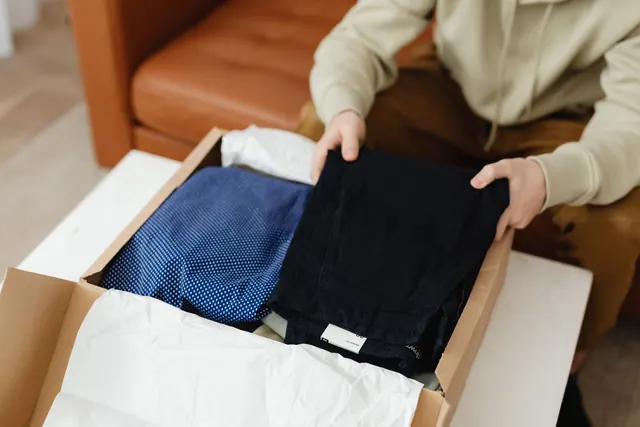
How to reduce RTO on Meesho (and returns): a 5-step method
Returns and RTO eat Meesho profit. Find why orders come back, fix the biggest cause first and measure again, with the claim process in outline.
Marketplaces
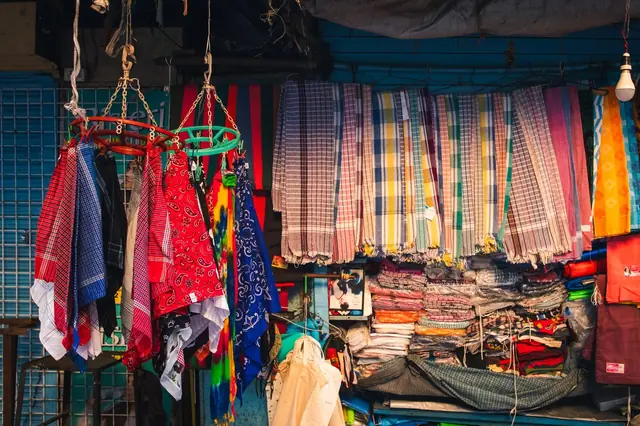
Meesho vs Flipkart vs Amazon: where should a new seller start?
A neutral comparison of how fees, shipping, returns and registration work on Meesho, Flipkart and Amazon, with dated sources and no winner.